
Missed call text back is a feature that sends a text to a caller right after you miss their call. The text says you saw the call and will get back to them, and it usually asks what they need. If you run a trade or contractor business and spend your day on job sites, it gives callers a way to reach you while your hands are full. You can set it up through your phone system, your CRM, or a standalone tool. The part that matters most is what happens after the text goes out.
What missed call text back is
A person calls your business number. Nobody picks up. Right after the missed call, your system texts that caller from your business number. The caller can reply with what they need. That reply goes to someone on your team.
It does not replace answering the phone. It gives the caller something to answer while you are on a ladder, in a meeting, or with a client. A voicemail asks them to wait. A text lets them reply when it suits them.
Missed call text back software only handles the first part. A person still has to read the reply and respond. If no one owns that step, the text does more harm than good.
How missed call text back automation works
Every tool follows the same basic steps.
- Someone calls your business number and the call goes unanswered, or the line is busy.
- The system sees the missed call.
- It sends one text to the caller's number.
- The caller replies, or does not.
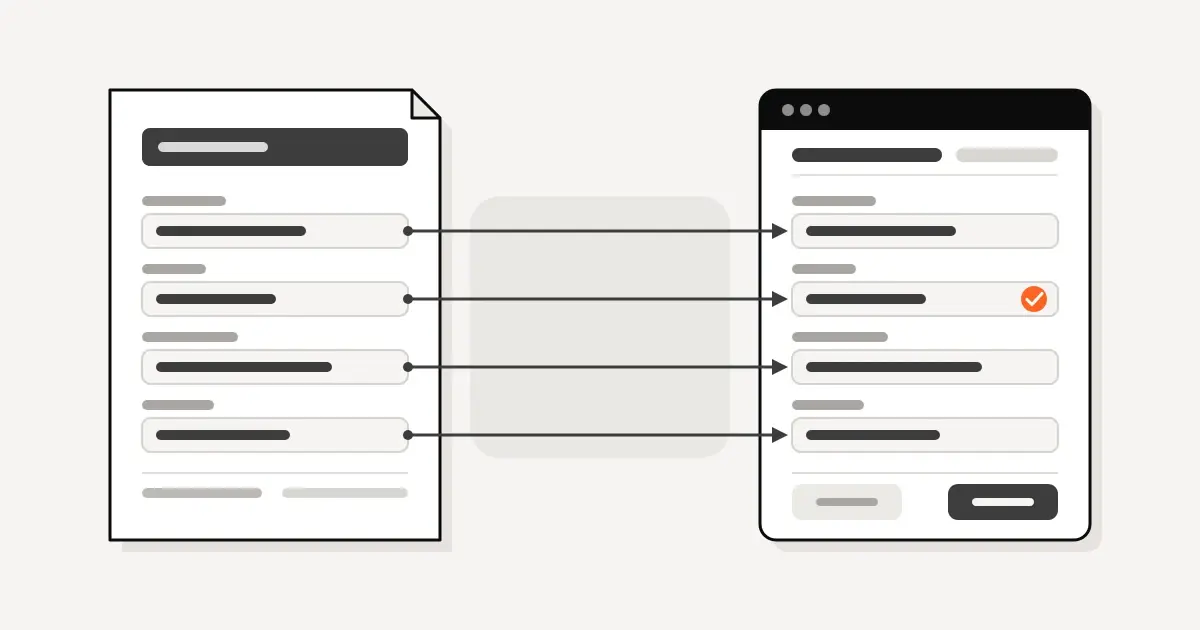
- The call, the text, and any reply are logged in your CRM on that person's record. If the number is new, the system creates a contact.
- The system creates a task for a named person to follow up.
- That person reads the reply and answers.
Automation handles steps 2 through 6. A person handles step 7. If leads go missing, check steps 5 through 7 first.
What the first text should say
Keep the first text short and plain. It should do four things. Say who you are, say you missed the call, ask one question, and tell the person how to stop messages.
Here are three examples you can adjust. Replace the bracketed name with your business name.
- "Hi, this is [Your Company]. Sorry we missed your call. We are on a job right now. What can we help you with? Reply STOP to opt out."
- "Thanks for calling [Your Company]. We can't pick up right now. Can you reply with what you need? Reply STOP to opt out."
- "[Your Company] here. We missed your call and want to help. What is the address for the job? Reply STOP to opt out."
Rules for all three.
- Do not promise a time you cannot keep.
- Ask one question, not four.
- Do not send a link to a long form as the first message.
- Write it the way you would text a customer yourself.
If your website has a contact form, the same short style works there too. A form and a phone line should feed the same CRM record. We build sites too. See our web design page.
Where the lead should land in your CRM
The text is the easy part. The record is what keeps the lead from getting lost.
When a missed call comes in, your CRM should do four things.
- Match the number to an existing contact, or create a new one.
- Log the missed call and the text on the record.
- Set the lead source to something like "missed call" so you can count them later.
- Create a task with an owner and a due time.
The owner should be one named person, with a backup for days off. A task assigned to "the office" belongs to nobody. The due time should be a window your team can actually meet.
When the caller replies, the reply should show on the same record and should notify the owner on their phone. If the reply sits in a shared inbox no one checks, you have only moved the problem.
We cover how contractors can structure this in CRM for general contractors. If you are still choosing a system, see Zoho CRM vs HubSpot for contractors. The setup work itself is on our CRM page. Colin Singleton runs most of our CRM and custom software builds himself. You can meet the Conduit team.
Ways to get missed call text back
There are three common routes. None is right for every shop.
Built into the phone system. Some business phone systems offer a missed call text feature. Ask your phone provider whether yours does. The upside is that it sits where the calls already are. The question to ask is whether it can write to your CRM, or whether the reply stays inside the phone app.
Built into the CRM. GoHighLevel documents a built-in missed call text back feature in its help center. If you already use GoHighLevel, check the setup guide first. If you use a different CRM, look in its automation settings, or ask whether an automation tool can connect your phone line to it. The upside is that the lead lands in the right place without a second system.
A standalone tool. Weave sells a missed call text feature. A standalone product can be quick to start, because it does not require changes to your CRM. The tradeoff is that leads may end up in two places unless the tool connects to your CRM. Ask how it does that before you sign up.
Whichever route you choose, ask three things. Where does the reply go? Does the CRM record update on its own? Who handles carrier registration?
Consent and carrier registration
This is not legal advice. It is a practical list of what to check. Ask your attorney about your own situation.
- Know the consent rule. FCC rules ban texts sent to a mobile phone with an autodialer unless the owner gave consent first or it is an emergency. Commercial texts need written consent. For informational texts, consent may be oral. Ask your attorney which kind your first text is, and whether a person calling you counts as consent.
- Honor stop requests. The FCC consumer guide says people may opt out "at any time and in any reasonable manner". Under 47 CFR 64.1200(a)(12), one confirmation text is allowed after a stop request, but only if it "merely confirms" the opt-out, carries no "marketing or promotional information", and is "the only additional message" sent. If it goes out "within five minutes of receipt", it "will be presumed to fall within the consumer's prior express consent". A later one needs a showing that the delay was reasonable. In practice, mark the number as do-not-text right away.
- Register for A2P 10DLC. This is the standard US carriers use so business texts from 10-digit long code numbers are verified and consensual. If you send texts from an application over a 10DLC number to the US, you need to register a brand and a campaign. The campaign describes how people opt in, opt out, and get help, and the purpose of your messages. Twilio says registering means lower message filtering. Twilio customers who send from a Twilio 10DLC number without registering pay additional carrier fees. Toll-free and short code numbers are separate systems.
- Ask your vendor who does the registration. Some tools handle it for you and some need you to supply the details. Find out before you launch.
Mistakes to avoid
- Texting every number. Some numbers can't receive texts. Your tool should handle that without breaking the rest of the flow.
- Texting people who called by mistake. If someone replies "wrong number," mark the record and stop. Also exclude numbers you know are not leads, such as your own crew and your vendors.
- No stop handling. If someone replies STOP and gets another text, you have a complaint waiting to happen. Set up a do-not-text field and make the automation check it.
- Texts nobody answers. The caller replies, gets silence, and now has a worse impression than a voicemail would have left. Name an owner and review unanswered replies every week.
- Setting it up once and never testing it. Phone settings and CRM fields change. Test again after any change.
A setup checklist for any CRM
Use this with whatever CRM you already have. It does not depend on one tool.
- List the business numbers that will send the text.
- Confirm your CRM matches callers by phone number and creates a contact when none exists.
- Add a lead source value such as "missed call."
- Name the owner of the reply, and a backup.
- Set the follow-up task due time.
- Write the first text, with an opt-out line.
- Decide whether after-hours calls get a different text.
- Add a do-not-text field to the contact record and make the automation check it.
- Add an exclusion list for crew, vendors, and known non-leads.
- Confirm carrier registration is complete.
- Make sure replies notify the owner on their phone.
- Schedule a weekly check of replies with no answer.
If you want the CRM to keep itself current as calls and texts come in, that is the kind of job our AI and automation work covers.
How to check it works
Run these tests before you rely on it.
- Call your business number from a phone that is not in your CRM. Do not answer. Confirm the text arrives.
- Check the CRM. You should see a new contact, the missed call, the text, a lead source, and a task with the right owner.
- Reply with a short message. Confirm the owner gets a notification and can see the reply on the record.
- Call from a phone that is already in your CRM. Confirm it matches the existing contact and does not create a duplicate.
- Reply STOP. Confirm the contact is marked do-not-text and no further messages go out.
- Wait for the task due time to pass. Confirm someone gets reminded.
FAQ
What is missed call text back? It is a feature that sends a text to a caller after you miss their call. The text starts the conversation so someone can follow up.
Is missed call text back legal? That depends on consent and how you send the text. FCC rules ban autodialed texts to a mobile phone without prior consent, except in an emergency. Ask your attorney how the rules apply to your first message.
Do I need A2P 10DLC registration? If you send texts from an application over a 10-digit long code number to the US, yes. You register a brand and a campaign. Toll-free and short code numbers are separate systems.
Will it text everyone who calls? Only if you set it up that way. You can exclude numbers, such as your crew and vendors, and some numbers can't receive texts.
Does it replace answering the phone? No. It gives the caller a way to reach you while you are busy. A person still has to reply.
Book a time with Colin
Book a 30-minute call with Colin about the AI tool or CRM you already use. Bring your current phone and CRM setup, and we can look at where missed calls should land. Book a time with Colin.
Sources
- FCC consumer guide, https://www.fcc.gov/consumers/guides/stop-unwanted-robocalls-and-texts. Supports the autodialer consent rule, the written versus oral consent distinction, and opting out "at any time and in any reasonable manner".
- Federal Register, FCC rule 2024, https://www.federalregister.gov/documents/2024/03/05/2024-04587/strengthening-the-ability-of-consumers-to-stop-robocalls. Supports the one-time confirmation text rule and its conditions in 47 CFR 64.1200(a)(12), effective April 4, 2024.
- Twilio A2P 10DLC documentation, https://www.twilio.com/docs/messaging/compliance/a2p-10dlc. Supports brand and campaign registration, the campaign covering opt-in, opt-out, help, and the purpose of messages, lower filtering when registered, additional carrier fees for unregistered Twilio 10DLC traffic, and the separate toll-free and short code systems.
- GoHighLevel help center, https://help.gohighlevel.com/support/solutions/articles/48001239140-where-and-how-to-configure-the-missed-call-text-back-feature. Supports the built-in missed call text back feature.
- Weave, https://www.getweave.com/missed-call-text/. Supports that Weave sells a missed call text feature.

Colin has spent five years building and running the CRM inside a major Dallas–Fort Worth general contracting firm. He started Conduit to bring the same systems to owner-operated trades and contractors.