CRM implementation cost is everything you pay to get a CRM working for your team, on top of the monthly price per seat. The seat price is the part you see on the pricing page. The rest is cleaning up your data, setting up the system, connecting it to your other tools, training your people, and building the first automations. For a 5 to 50 person business, that second group often matters more than the license.
We are not going to give you one dollar figure, because no honest number fits every shop. The cost depends on how messy your data is, how many tools need to connect, and how much of the work you do yourself. What we can give you is a clear list of cost lines so you can ask better questions and compare quotes. If you want a broader look at how we approach this work, see our CRM setup and optimization page.
What you are actually paying for
A CRM purchase has two parts. One is the software you rent. The other is the work that makes the software fit your business.
The software part is simple. You pay each month for each user, and the price changes with the plan you pick. Check the vendor's own pricing page for current numbers, since plans change.
The work part is where quotes differ. Someone has to decide how your sales or job pipeline should look, move your old contacts in, build the fields and forms, connect your email and calendar, and show your team how to use it. If you hire that out, you pay for the time. If you do it yourself, you pay in your own hours and in the mistakes you fix later.
Both parts count as implementation cost. A cheap license with a bad setup usually costs more than a fair license with a good setup.
Cost line items for a 5-50 person service business
Use this checklist when you ask any vendor or consultant for a quote. Each line should be priced on its own, or marked as included.
Licenses
- Per-seat price for each plan tier you need
- Add-ons you will actually use, such as texting, e-signature or extra storage
- Seats for people who only need to view data, if the vendor charges for them
Data migration
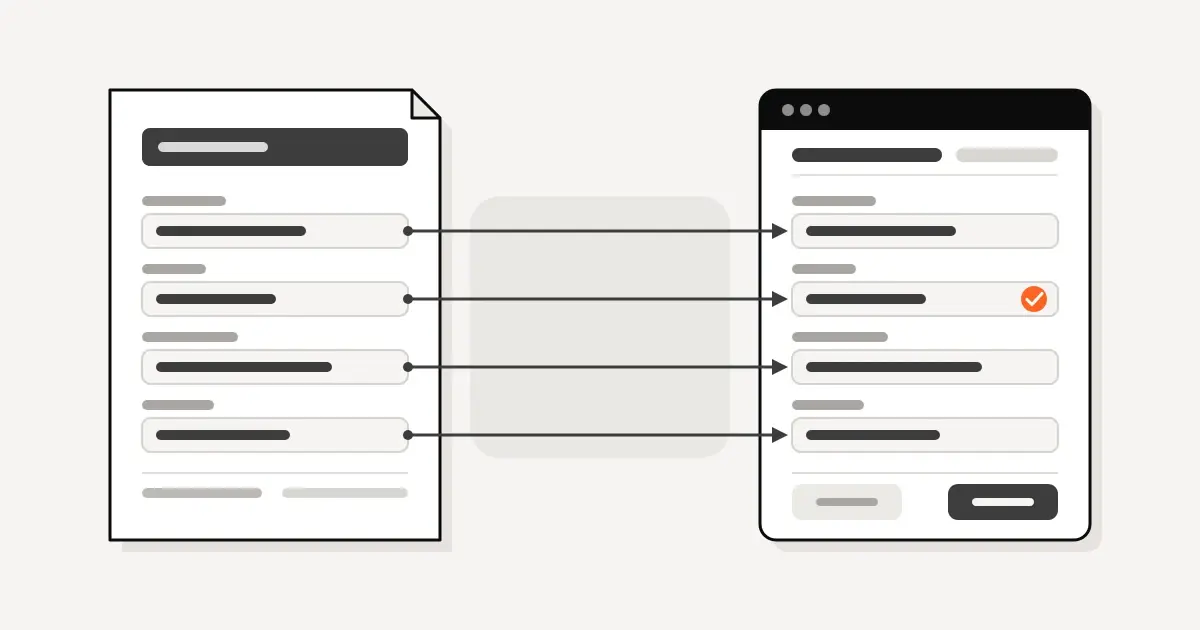
- Exporting contacts, deals and notes from spreadsheets, your old CRM or email
- Removing duplicates and fixing bad records
- Mapping old fields to new fields
- Moving files and attachments, if you need them
Configuration
- Pipeline stages that match how you really sell or run jobs
- Custom fields, forms and lead sources
- User roles and what each person can see
- Email, calendar and phone setup
Integrations
- Accounting and invoicing
- Your website forms and booking tools
- Project or job management tools
- Anything that needs a custom connection instead of a built-in one
Training
- A working session for each role
- Short written notes your team can reuse
- Time for new hires later
First automations
- Lead follow-up and reminders
- Task creation when a deal changes stage
- Handoffs between sales and operations
- Any AI agent or custom workflow you add after the basics work, which we cover on our AI agents and automations page
If a quote lumps all of this into one number, ask for a breakdown. A good CRM implementation cost breakdown lets you see what you are paying for and what you could do yourself.
Zoho vs HubSpot vs GoHighLevel
We set up Zoho, HubSpot and GoHighLevel, and we also work on the CRM a client already uses. Each one changes the shape of the cost, not just the license price.
Zoho is flexible and has many connected apps. That gives you room to fit it to your business. It also means more decisions during setup, so configuration time is usually the main cost line.
HubSpot is known for being easy to start with. Features are tied to plan tiers, so your license cost can change as you add needs. When owners ask about HubSpot implementation cost, the real answer depends on which tier you need, how much data you bring in, and whether you want a vendor onboarding package or an outside consultant. Ask exactly what each option covers.
GoHighLevel is built around lead capture, follow-up, texting and funnels in one place. It can replace several small tools. Setup cost leans toward building the follow-up sequences and connecting your forms and phone numbers.
None of these is the cheapest or the best in every case. The better question is which one matches the way your team works. We wrote a longer comparison for one trade in Zoho CRM vs HubSpot for contractors. If you run a construction business, CRM for general contractors covers what to look for.
Hidden costs owners miss
These are the lines that do not show up on the first quote.
- Unused seats. Owners buy seats for everyone, then half the team never logs in. Start with the people who will use it daily.
- Data cleanup that takes longer than planned. Old spreadsheets and email lists are rarely clean. Bad data moved into a new system is still bad data.
- Your own time. Someone on your team has to answer questions, approve the pipeline and test it. That time is real, even if no invoice shows it.
- Integration upkeep. Connections between tools can break when either side updates. Someone needs to own that.
- Re-training. New hires and changed processes mean more training later.
- Features you pay for and never set up. A plan with automation tools does nothing until someone builds the automations.
- Website and account dependencies. Forms on your site, email settings and user access all touch the CRM. If your website, email or user accounts are not set up to support it, you pay to fix that too.
A DFW contractor example
A DFW contractor's accounting work took each person 45 minutes on average (some up to 90); Conduit got it down to 10 minutes.
We are not naming the client, and we are not turning that into a promise for your business. The point is where to look. When you plan a CRM, measure the time your people spend on repeat work today. That time is a cost, and it is the one a good setup should reduce.
DIY vs hire someone
Doing it yourself can make sense if you have a small team, a simple sales process and someone with patience. You pay in hours, and you learn the system well. Most CRMs have decent guides, and the first setup of a simple pipeline is not hard.
Hiring help makes more sense when one of these is true.
- Your data lives in several places and needs real cleanup
- You need the CRM to connect to accounting, scheduling or job tools
- Nobody on your team has the time to own the project
- You tried before and the team stopped using it
A middle path works well for many owners. Hire help for the pieces that are easy to get wrong, such as data migration and integrations, and handle simple training and daily use yourself.
Colin Singleton runs most of our CRM, automation and custom software builds. You can read more about him and the team on our team page.
How to budget before you buy
Do this before you sign anything.
- Count real users. List who will log in every week. Buy those seats first.
- Audit your data. Look at where your contacts and deals live today. Note how many sources there are and how messy they are.
- Write your pipeline on paper. If you cannot describe your stages in a few lines, setup will take longer.
- List your integrations. Name every tool the CRM must talk to.
- Pick the first three automations. Keep the first build small. Add more after the team uses the system.
- Set aside time for your own people. Block hours for testing and training.
- Ask for a line-by-line quote. Use the checklist above, so you can compare offers on the same terms.
- Hold a reserve. Plan for something to take longer than expected, especially data cleanup.
If you cannot price a line, leave it open and ask. An unknown line on a quote is a risk, so name it.
FAQ
How much does a CRM implementation cost?
It depends on your data, your integrations and how much help you hire. The seat price is only one part. Ask for each cost line to be priced separately so you can compare.
What is included in a CRM implementation cost breakdown?
Licenses, data migration, configuration, integrations, training and first automations. Some quotes also include project management and ongoing support. Ask what is in and what is out.
Is HubSpot implementation cost different from Zoho or GoHighLevel?
Yes, mostly in where the work lands. HubSpot costs tend to follow plan tier and onboarding choices. Zoho costs tend to follow configuration time. GoHighLevel costs tend to follow follow-up sequences and forms. Check each vendor's current pricing.
Can I skip implementation and just buy seats?
You can, but most teams then stop using the CRM or use it badly. A small, well-planned setup beats a large, unused one.
Does Conduit work with the CRM I already have?
Yes. We set up and tune Zoho, HubSpot, GoHighLevel and similar tools, and we work on the one you already use when that makes sense.
Book a call with Colin
Book a 30-minute call with Colin to talk through your data, your tools and what a sensible first phase looks like for your team. You will get a plain answer on where the cost sits for your business.
Sources
This guide uses Conduit service pages and articles only.
- https://conduitsystems.org/crm
- https://conduitsystems.org/ai
- https://conduitsystems.org/sites
- https://conduitsystems.org/team
- https://conduitsystems.org/articles/zoho-crm-vs-hubspot-for-contractors
- https://conduitsystems.org/articles/crm-for-general-contractors

Colin has spent five years building and running the CRM inside a major Dallas–Fort Worth general contracting firm. He started Conduit to bring the same systems to owner-operated trades and contractors.